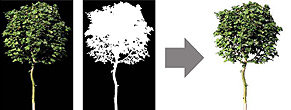
|
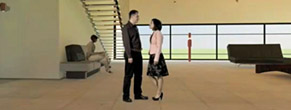
Adding Viz-Images: Moving People to Building Interiors for C4D with AR3 |
|
|
Video Tutorial Downloads
|
|
Adding Viz-Images: Still People to Building Interiors for C4D with AR3 |
|
|
Video-Tutorial Downloads
|
|
Dosch Viz-Images Anleitung |
|
|
(PDF-file) Downloads
|
|
Dosch VizImages und M-Color |
|
|
Erklärung zum Einsatz der Viz-Images in M-Color von Motive Systems: |
|
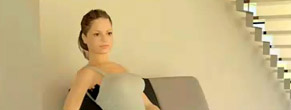
Adding 3D Rigged Characters to Building Interiors for C4D with AR3 |
|
|
Video Tutorial Downloads
|
|
Anleitung zu Driving Cars for Cinema 4D Produkten |
|
|
Die Anleitung zu den Driving Cars for Cinema 4D Produkten. Es wird die neue Physics-Engine detailliert erklärt. Downloads
|
|
Hypernurbs in Cinema 4D verwenden |
|
|
Video Tutorial von Holger Schömann (Deutsch) Downloads
|
|
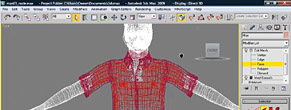
Rigging Dosch 3D: Humans V2 in 3dsmax 2009 |
|
|
Video Tutorial Downloads
|
|
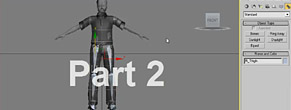
Rigging Dosch 3D: Humans V2 in 3dsmax 2009 - Part 2 |
|
|
Video Tutorial Part 2 Downloads
|
|
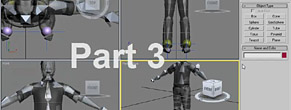
Rigging Dosch 3D: Humans V2 in 3dsmax 2009 - Part 3 |
|
|
Video Tutorial - Part 3 Downloads
|
|
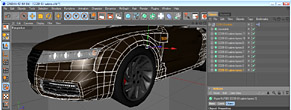
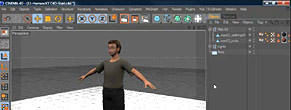
Rigging Dosch 3D: Humans V2 in Cinema 4D R11 |
|
|
Video Tutorial Downloads
|
|
Rigging Dosch 3D: Humans V2 in Cinema 4D R11 - Part 2 |
|
|
Part 2 of the video tutorial Downloads
|
|
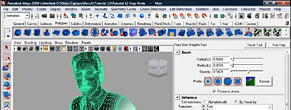
Rigging Dosch 3D: Humans V2 in Maya 2009 |
|
|
Video Tutorial Downloads
|
|
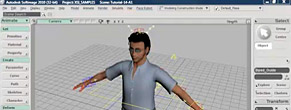
Rigging Dosch 3D: Humans V2 in Softimage 2010 |
|
|
Video Tutorial Downloads
|
|
Der Einsatz von HDRIs in Cinema4D |
|
|
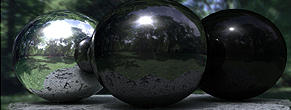
Holger Schömann zeigt Ihnen in diesem Video-Tutorial, wie man HDRIs in Cinema4D einsetzen kann. Enthalten sind auch Beispieldaten und Szenen. Download-Größe: 980 MB Downloads 01_HDRI-C4D_Holger_Schoemann.zip

|
|
HDRfinish V1 |
|
|
Die Anleitung zu HDRfinish als PDF-File.
|
|
HDRI |
|
|
Eine Einführung in das Thema HDRI mit umfassenden Informationen zu den Panorama-Abwicklungen.
|
|
Using HDRIs in Lightwave 7 |
|
|
Eine Schritt-für-Schritt Anleitung
|
|
Conversion to other 3D-formats The various 3D-formats (e.g. 3DS, Lightwave, VRML) provided with each Dosch 3D product can be converted into other formats not directly provided on our CD-ROM/DVDs through the use of special third-party 3D-conversion programs. By means of such a conversion, 3D-models from Dosch Design can be used in just about every quality 3D- or CAD application available in the market. Please note the available 3D-formats, conversion properties and descriptions of each respective tool.
In order to convert the provided polygonal 3D-models (e.g. for CAD/CAM) into volume models the following tools can be used:
|
Polygon Reduction With the help of the following tools the polygon count of any Dosch Design 3D-model can be reduced -if so desired- to the required target polygon count, for applications like real-time effects, gaming, mobile devices. This enables the user to alter Dosch Design 3D-models in a very individual way for optimal resolution, loading/transmission time etc. in the relevant application.
Important: The http-links above refer the reader to products which Dosch Design has no affiliation with whatsoever. Dosch Design has not been connected to any of these products for promotion, development, sale or any other such business relationship. Dosch Design therefore does not provide support for these tools, and is not responsible for the accuracy of any information provided on the linked web-pages provided above. |